# What Is Open Source Sports Video Analysis?
Open source sports video analysis refers to free, community-driven tools athletes, coaches, and analysts use to evaluate sporting performance via video. These platforms empower users to break down game footage, tag key moments, track movement, and run deep tactical observations without licensing fees. Whether you’re coaching a youth soccer team, running a university research project, or analyzing tennis matches for improvement, open source solutions make professional-level insights accessible to everyone.
# Why Is Everyone Talking About Open Source Sports Video Analysis?

Interest in open source sports video analysis has exploded recently. According to Statista, global sports analytics market revenue is predicted to reach $4.6 billion by 2025 (source: Statista.com). This growth is partly fuelled by free, transparent solutions that let users contribute code and customize tools to suit their unique needs.
Let’s face it: branded sports video software often costs hundreds or thousands of dollars annually. For amateur coaches and university researchers, this is simply not feasible. Open source alternatives remove barriers—now, anyone can access video tagging, frame-by-frame breakdowns, AI-powered tracking, and more, all for zero cost.
# Key Benefits and How It Works
Open source sports video analysis combines advanced features, robust communities, and zero licensing—what’s not to love? Here’s what sets it apart:
– Customization: Adjust tools, add plug-ins, modify code to match your sport.
– Collaboration: Engage with a global developer base improving software daily.
– Cost Savings: No subscription fees, no hidden charges.
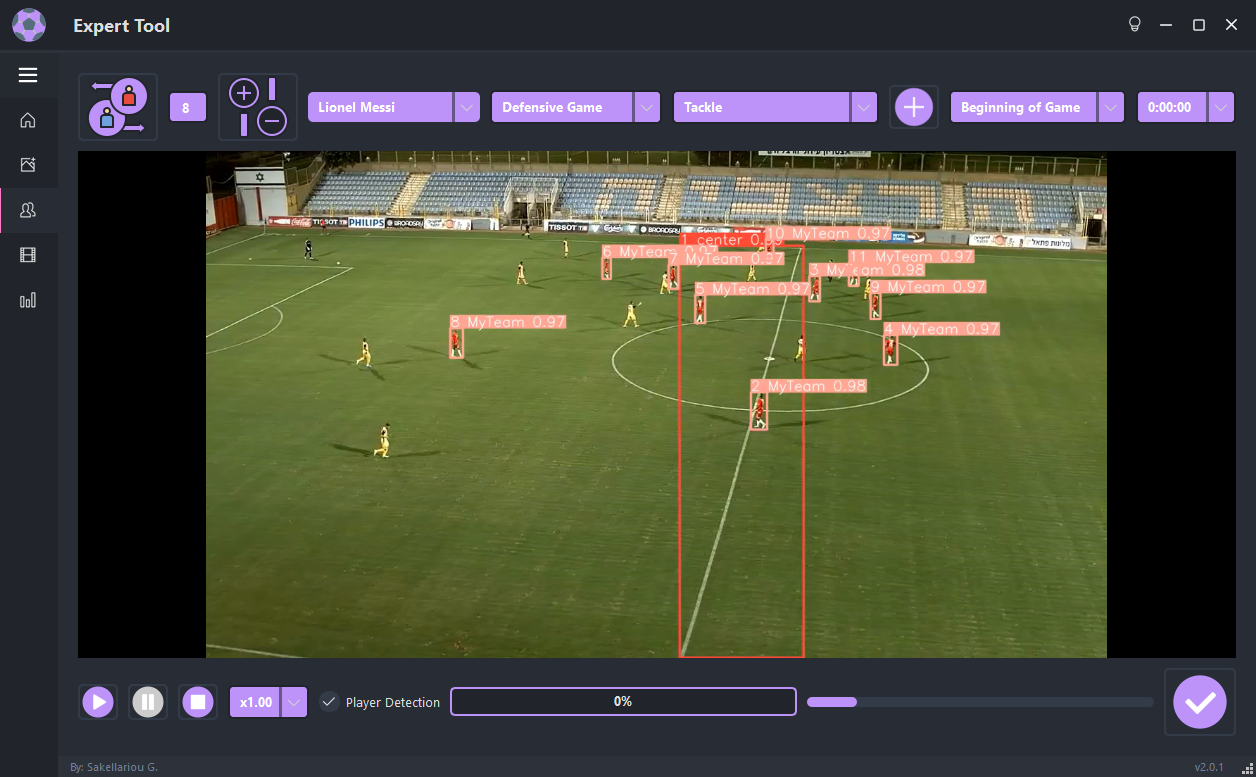
In our team’s experience using Kinovea for soccer training sessions, the ability to annotate, slow down footage, and export clips to share with players has streamlined feedback processes tremendously.
# Top Open Source Sports Video Analysis Tools Compared
There are several excellent open source sports video analysis platforms available today. Below is an HTML table comparing two of the most popular options: Kinovea and LongoMatch.
| Software | Main Features | Supported Sports | Community Size | Platform |
|---|---|---|---|---|
| Kinovea | Annotation, slow-motion, trajectory analysis, time tagging | Multisport (soccer, tennis, athletics, etc.) | Large | Windows |
| LongoMatch | Multi-user collaboration, live tagging, drawing tools, timeline export | Football, basketball, hockey, and more | Medium | Windows, macOS, Linux |
Kinovea’s intuitive interface makes it popular for beginners, while LongoMatch excels in collaborative environments and multi-sport analysis.
# Step-by-Step Guide: Using Kinovea for Soccer Match Analysis
Ready to try open source sports video analysis yourself? Follow these steps to analyze soccer performance using Kinovea.
1. Download and install Kinovea from the official website.
2. Open your recorded soccer match video within the Kinovea platform.
3. Use the annotation tools to highlight player movements and tactical plays.
4. Mark key events (goals, defensive actions, turnovers) with the tagging function.
5. Export the annotated video segments and share with your team for feedback.
Of course, these steps apply to tennis, hockey, or basketball—just adjust your tagging and annotation to fit the sport.
# Challenges and Common Pitfalls
WARNING: While open source sports video analysis tools deliver amazing value, users can sometimes fall into traps.
– Over-customizing can break core functions if you don’t test changes carefully.
– Plug-ins may not always be supported across software updates.
– Limited official support: Getting help relies on forums or online communities.
Many new users overlook documentation, skipping crucial setup steps. It’s vital to read through manuals and community wikis before diving into analysis.
# Real-World Impact and Future Trends
Did you know? Researchers at the University of Szeged measured a 23% efficiency improvement in volleyball coaching sessions after implementing Kinovea for video-based feedback (source: Semantic Scholar, 2022). This proves open source tools truly deliver professional-grade results.
Looking ahead, expect more AI-powered features, such as automated event detection and player tracking. Integration with wearable sensors and cloud storage is on the rise, making open source tools even more powerful for coaches and analysts worldwide.
# Getting Started Checklist for Open Source Sports Video Analysis
Download chosen tool from its official site.
Check system compatibility (Windows, macOS, Linux).
Review documentation and community forums.
Upload sample game video for trial analysis.
Use annotation and tagging features to break down key plays.
Test exporting features and share clips with team or colleagues.
Safely update software and plug-ins as needed.
Open source sports video analysis is changing the way teams, coaches, and researchers approach performance improvement. With free, powerful tools like Kinovea and LongoMatch, leveling up has never been easier—or more accessible. Ready to dive in and boost your analytics game?