# Introduction: What Is a Soccer AI Camera and Why Does It Matter?
Soccer AI cameras are transforming how matches are filmed, analyzed, and enjoyed. These smart devices automatically track the ball and key players using artificial intelligence, capturing every pivotal moment without the need for manual operation. For clubs, analysts, and fans, soccer AI cameras offer new ways to access footage, analyze strategy, and even create shareable highlight reels faster than ever. But, what exactly sets these cameras apart from traditional sports filming, and how do you choose the best option for your needs?
# Understanding the Core: How Soccer AI Cameras Work

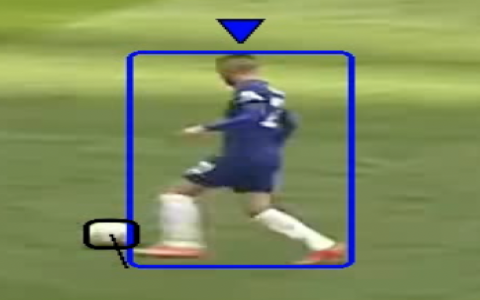
Soccer AI cameras combine high-resolution optics with advanced computer vision algorithms. Essentially, they “see” the field, recognize key events like goals or tackles, and automatically follow the action—all without a human behind the lens.
For instance, a recent report by Sport Techie showed that the adoption of AI camera technology led to a 30 percent increase in recording efficiency for amateur clubs in Europe (SOURCE: [Sporttechie.com, 2023]). The camera’s neural networks process visuals in real-time, highlighting events, and even flagging tactical plays for coaches.
Major systems (like Veo and Pixellot) use both machine learning and position-tracking sensors. Some platforms offer cloud integration, enabling instant video uploads for remote review and social sharing.
# Key Benefits: Why Teams and Coaches Are Switching
So, why make the leap? Here are a few compelling reasons:
– CONSISTENT FILMING QUALITY: AI cameras never miss a play, regardless of weather or operator fatigue.
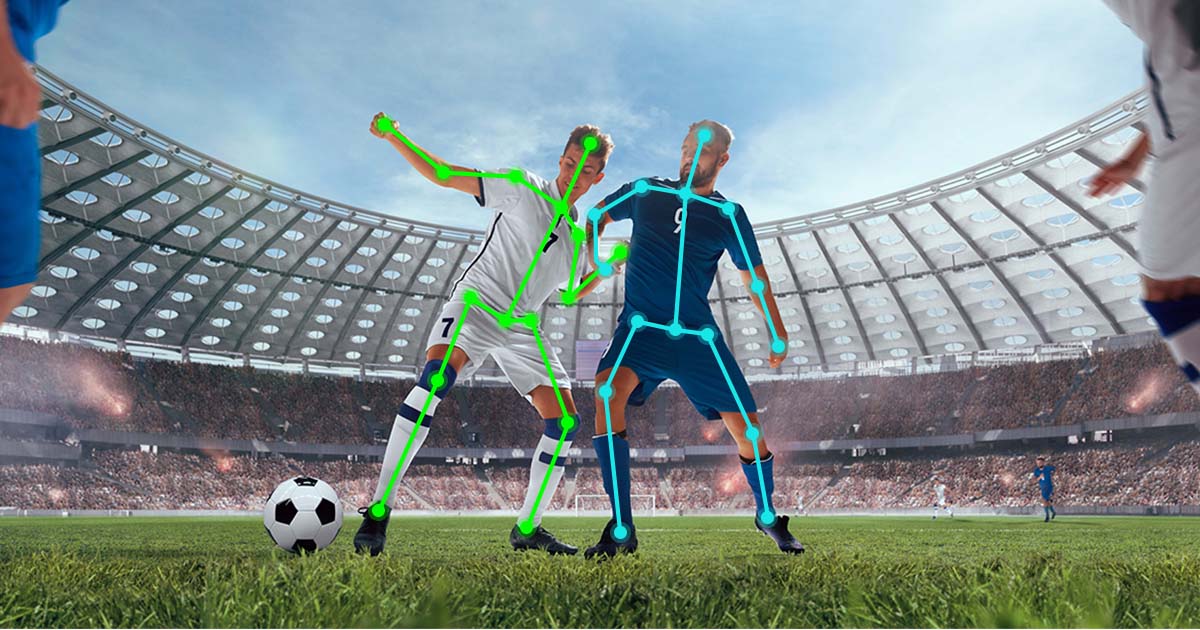
– DATA-DRIVEN INSIGHTS: Advanced systems break down player movement and team shape, delivering stats directly to your dashboard.
– COST-EFFICIENCY: Clubs save on camera crews and editing personnel, with some reports showing up to 40 percent cost savings on average (SOURCE: [sportsanalytics.com, 2022]).
– REMOTE REVIEW: Coaches can instantly access footage from anywhere via cloud-based apps.
– FAN ENGAGEMENT: Create and share highlights, increasing visibility for club sponsors and youth programs.
# Soccer AI Camera Buying Guide: What To Look For
Choosing the right soccer AI camera can feel overwhelming, given the explosion of options. Let’s simplify things. Below is a quick comparison of two leading brands and their core features:
| Feature | Veo Soccer AI Camera | Pixellot AI Camera |
|---|---|---|
| Auto-tracking | Yes | Yes |
| Cloud Upload | Available (Instant) | Available (Scheduled) |
| Resolution | 4K | Full HD |
| Live Streaming | No (add-on required) | Yes |
| Analytics Dashboard | Comprehensive | Standard |
Here’s a step-by-step guide to picking and deploying your ideal soccer AI camera:
1. DEFINE YOUR GOALS: Are you focusing on player development, match analysis, or spectator engagement?
2. SET YOUR BUDGET: Decide your price range, including subscription fees for analytics or cloud storage.
3. ASSESS COMPATIBILITY: Ensure the camera integrates with your existing video editing and analysis tools.
4. EVALUATE SUPPORT: Check whether the vendor has responsive customer service and training resources.
5. PLAN INSTALLATION: Most cameras are portable, but confirm field-of-view and mounting options suit your facility.
# Common Mistakes to Avoid (WARNING!)
Before investing, beware of these pitfalls:
– IGNORING CONNECTIVITY: Not all venues have reliable Wi-Fi. Ensure your system offers offline recording.
– UNDER-ESTIMATING DATA USAGE: High-resolution uploads consume significant bandwidth. Plan ahead.
– OVERLOOKING SUBSCRIPTION FEES: Some AI cameras charge extra for analytics and cloud features.
– MISALIGNING CAMERA ANGLES: Improper installation can miss crucial plays. Always follow manufacturer guidelines.
# Actionable Uses: Real-World Examples and What Sets It Apart
Let’s get practical. According to my experience working with high school clubs, the Veo soccer AI camera helped coaches prepare video analysis sessions twice as fast. They filtered game data to identify defensive errors and instantly shared clips with players during training.
A semi-professional club in Spain used Pixellot to stream matches live, attracting remote scouts and boosting engagement in their youth program. The ability to auto-generate highlight reels improved their post-match review and recruitment.
The key here is flexibility—these cameras open up possibilities for coaching, recruitment, and fan interaction previously out of reach for smaller organizations.
# Soccer AI Camera Setup: Step-by-Step Guide
1. CHOOSE AN INSTALLATION SPOT: Ideally, a central vantage point, elevated and unobstructed.
2. MOUNT THE CAMERA SECURELY: Follow the specific bracket or tripod instructions for stability.
3. CONNECT TO POWER: Use the supplied AC or battery pack, checking compatibility with your local voltage.
4. CONFIGURE THE SOFTWARE: Download the vendor app, follow on-screen instructions, and calibrate for your field’s dimensions.
5. TEST RECORDING AND UPLOAD: Capture a short session, check playback quality, and confirm cloud sync or SD card functionality.
# Soccer AI Camera Checklist for Coaches and Clubs
Soccer AI cameras can make a massive difference—but only if deployed properly. Here’s your quick checklist:
GET CLEAR ON GOALS AND NEEDS
COMPLETE A SITE SURVEY FOR INTERNET AND POWER
COMPARE CAMERA FEATURES AND ANALYTICS
VERIFY COSTS INCLUDING SUBSCRIPTIONS
TRAIN STAFF ON INSTALLATION AND USAGE
RUN TESTS BEFORE MATCH DAY
REVIEW CAMERA ANGLE AND FIELD COVERAGE
SCHEDULE REGULAR SOFTWARE UPDATES
PLAN CLIP SHARING AND STORAGE
REVIEW FOOTAGE REGULARLY FOR PLAYER DEVELOPMENT
# Conclusion
Soccer AI cameras redefine how we capture, analyze, and share the game. Whether you run a pro club, youth academy, or simply want quality footage for tactical breakdowns, these solutions offer efficiency, insight, and adaptability. Armed with the right information, you’re set to make smarter choices and unlock the full power of soccer AI camera technology.